Why Your Track Never Gets Finished — And the Tool That Finally Fixes It
Most producers don't have a talent problem. They have a starting-point problem. Ether Harmony is the browser-based chord, melody, and arrangement tool built to get ambient and chill producers unstuck — fast.
It's 11 PM. You've opened your DAW. Again.
You've scrolled through your sample library for twenty minutes. You've auditioned the same four chord progressions you always reach for. You've nudged a hi-hat. You've closed the project without saving.
Sound familiar?
You don't have a talent problem. You have a starting-point problem.
Most ambient, chill, and atmospheric producers lose the most creative energy not during production, but before it. Before the first note is placed. Before a single pad has been layered. In that brutal, expensive gap between wanting to make something and having something to build on.
That gap is exactly what Ether Harmony was designed to close.
The Real Obstacles Slowing Producers Down
Before we get into what Ether Harmony does, let's be honest about the friction that kills most sessions before they start.
1. The Blank Project Problem
A blank DAW project is psychologically hostile. Every decision — key, tempo, scale, progression, structure — is made from scratch, in sequence, under the silent pressure of an empty timeline. For producers who work in texture-driven genres like ambient, lo-fi, or psybient, this is particularly paralyzing because the mood has to be right from bar one. Get the harmonic foundation wrong, and nothing layered on top will save it.
2. Creative Habit Loops
Ask yourself: how many of your recent tracks use the same three or four chord movements? If you've been producing for more than a year, your fingers have grooves worn into them. You reach for Am – F – C – G on autopilot. You default to the same scale, the same root, the same voicing. Not because you're untalented — but because the path of least resistance is always familiar.
Escaping your own habits requires deliberate friction against your defaults. That's hard to manufacture alone.
3. The Theory Wall
Ambient and atmospheric music is harmonically rich. Lydian mode. Major 9ths. Sus2 chords over a pedal tone. Off-beat dub bass against suspended pads. The producers making the music you love have internalized years of harmony and arrangement theory — but that knowledge takes time to build, and most of us are learning on the job.
The theory wall shows up the moment you want something more interesting than a basic triad, but don't know how to voice it — or which extensions fit the scale — or what bass note makes the chord feel grounded instead of muddy.
4. Arrangement Paralysis
You made a beautiful eight-bar loop. Now what?
Building a full song from a loop is a different skill set entirely. Where does the tension build? When does the drop happen? How long is the intro before the pads come in? Most producers who work alone lack a structural blueprint — and the result is either a four-minute loop repeated without development, or a half-finished arrangement that gets abandoned when the initial inspiration fades.
5. The DAW Rabbit Hole
You open a browser tab to look up "Dorian mode chord progression." Forty minutes later, you're reading about film scoring, watching a YouTube tutorial on side-chain compression, and the creative window has closed. Researching inside production time is a tax that compounds fast.
Enter Ether Harmony
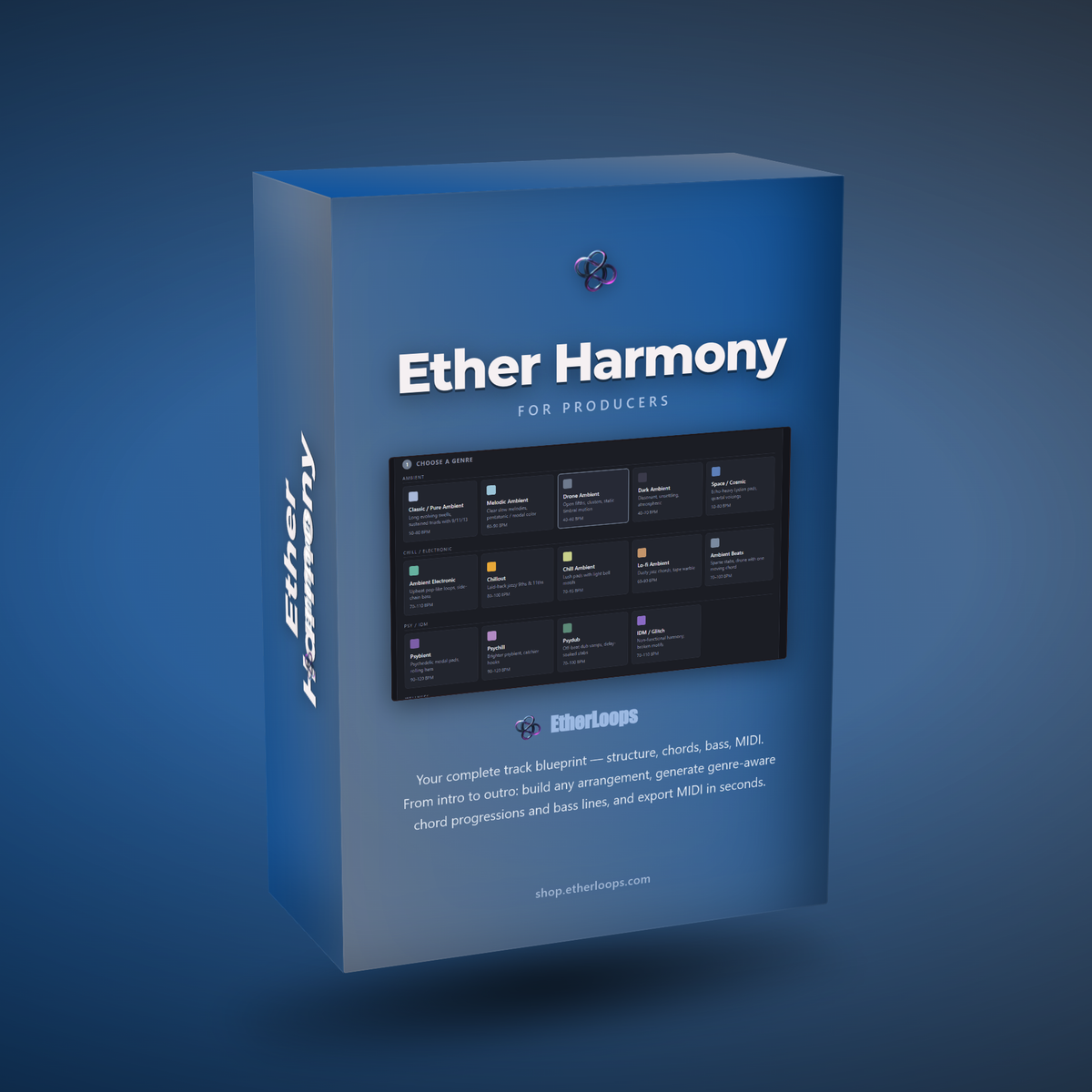
Ether Harmony is a browser-based music idea generator built specifically for ambient, chill, psychedelic, and wellness producers. It runs entirely offline from a single HTML file — no installation, no account, no internet connection required after download.
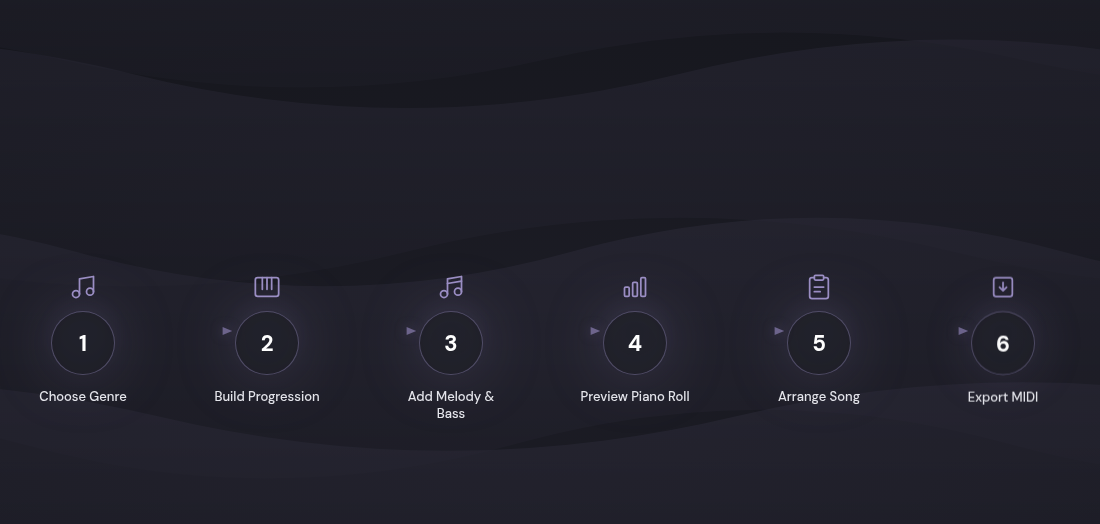
The workflow is deliberately linear and fast: six steps, each one unlocking the next, guiding you from a blank slate to an exportable MIDI blueprint without ever leaving your browser.
How It Solves Each Problem, Step by Step
Killing the Blank Project — Genre Presets That Set the Whole Mood
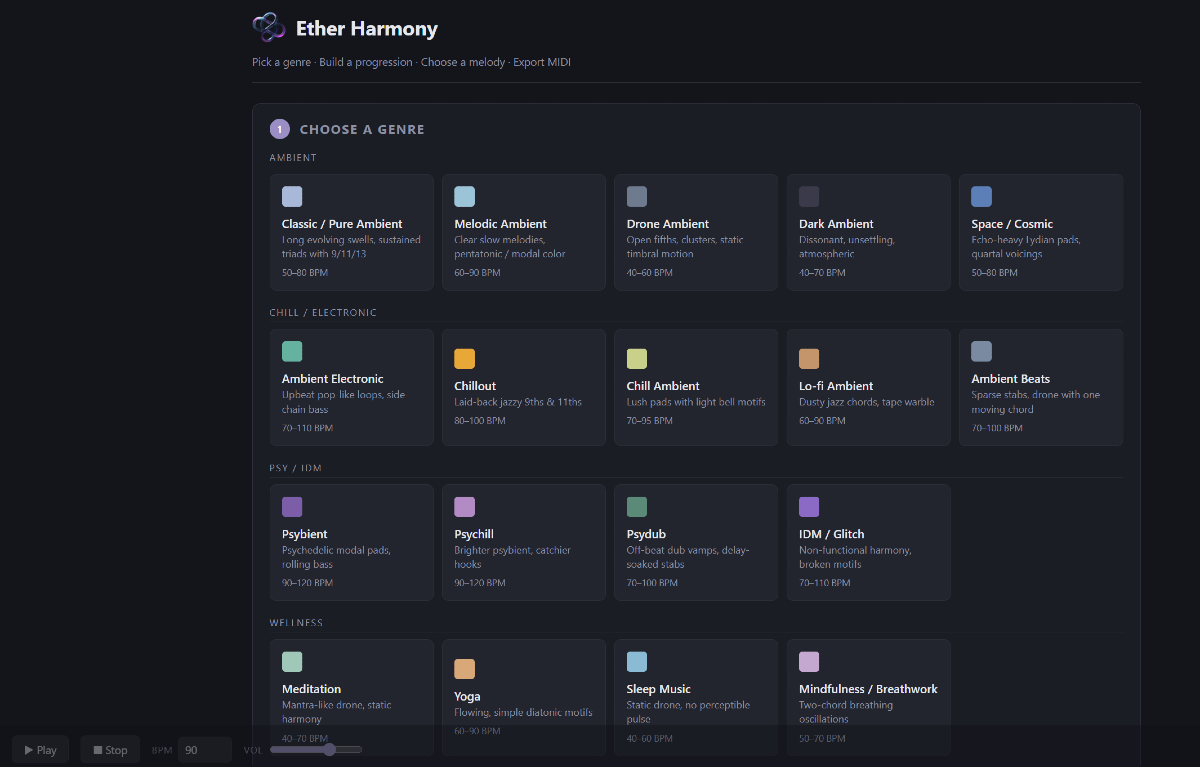
Ether Harmony opens with a grid of 22 genre presets organized across four families:
- Ambient — Classic/Pure Ambient, Melodic Ambient, Drone Ambient, Dark Ambient, Space/Cosmic, Ambient Electronic
- Chill / Electronic — Chillout, Chill Ambient, Lo-fi Ambient, Ambient Beats
- Psy / IDM — Psybient, Psychill, Psydub, IDM/Glitch
- Wellness — Meditation, Yoga, Sleep Music, Mindfulness/Breathwork
Click one tile. That single click sets a sensible default key, a genre-appropriate BPM, a scale palette, a chord-quality bias, and a bass-pattern preference. The blank project problem evaporates because you're no longer making a dozen decisions simultaneously — you've made one, and the system handles the rest.
Breaking Habit Loops — The Regenerate Button
Once you've set a key, a bar length (anywhere from 4 to 64 bars), and a chord count, Ether Harmony generates a progression instantly. But the real power isn't the first result — it's the ↻ Regenerate button.
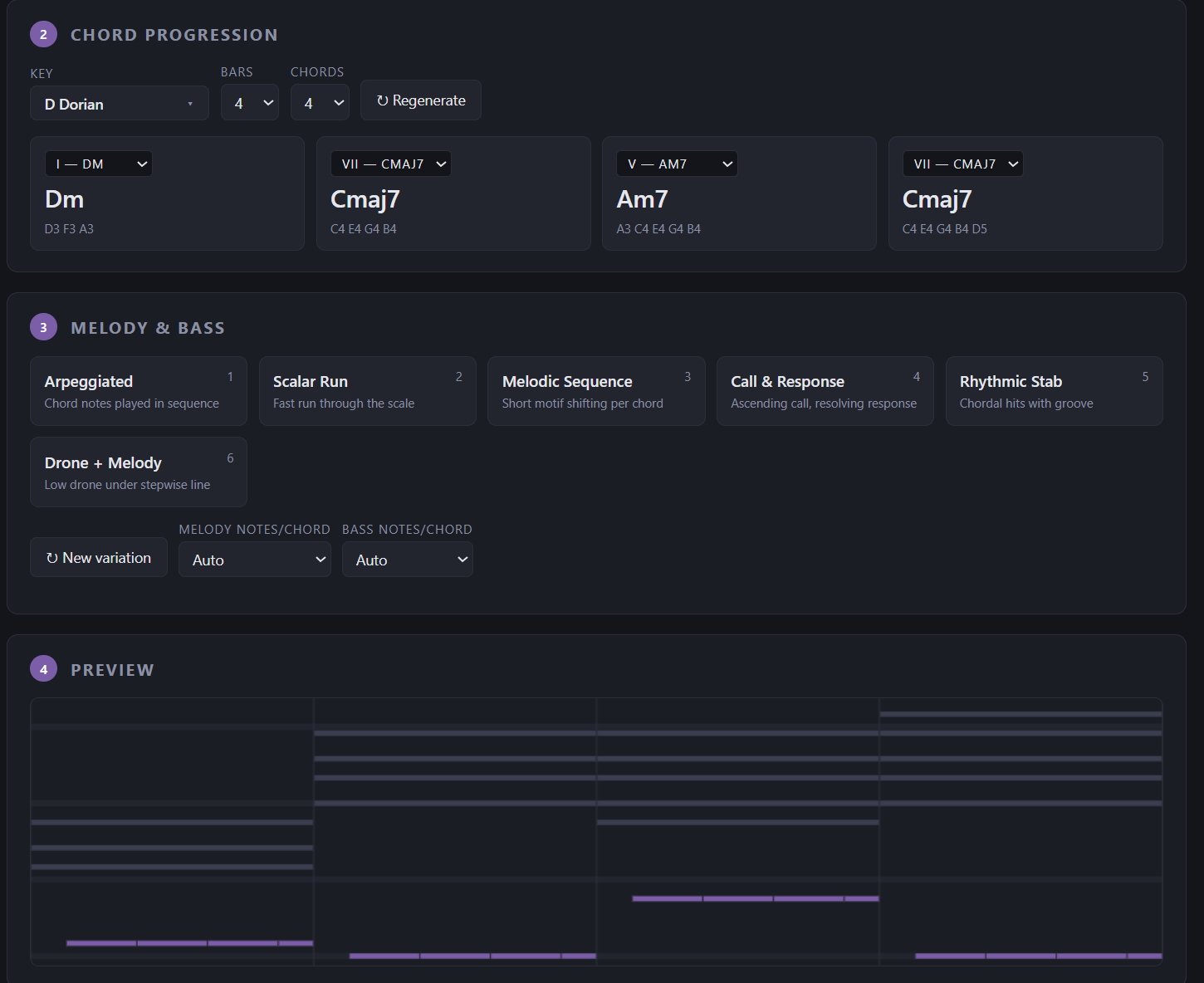
Hit it ten times. Each press produces a fresh variation within the harmonic logic of your chosen genre. You're guaranteed to land on progressions your fingers would never reach for on autopilot, because the generation is guided by music theory rules you may not yet have internalized. Extended chords, modal borrowings, and unexpected resolutions — all surfaced without needing to know the theory behind them.
You can also click any individual chord card to swap just that one chord for an alternative from the same scale — surgical editing without rebuilding from scratch.
The Theory Wall, Removed
Every genre preset in Ether Harmony carries embedded harmonic intelligence: scale palettes, chord quality biases (which tensions and extensions fit the genre), and melodic phrasing logic. You don't need to know that Lydian mode uses a raised fourth — the Melodic Ambient preset does.
The melody layer offers six distinct styles:
- Arpeggiated — broken-chord lines following the harmony
- Scalar Run — fast stepwise movement through the underlying scale
- Melodic Sequence — a short motif that adapts to each chord change
- Call & Response — an ascending question answered by a resolving phrase
- Rhythmic Stab — chordal hits with groove, great for chill and dub
- Drone + Melody — a held bass note with a floating melodic line above
The bass layer follows genre-appropriate patterns automatically: Root Held for sleep and meditation, Rolling 8ths for lo-fi and beats, Off-beat Dub for psydub, and Glitch for IDM. Density controls for both melody and bass let you dial in note count without touching notation.
The result: harmonically coherent, genre-correct music that sounds like it came from someone who knows what they're doing — because now the tool knows it for you.
Solving Arrangement Paralysis — The Song Timeline
This is where Ether Harmony goes beyond a chord generator.
Once you have a part you love — a verse loop, an intro pad, a chorus build — you type a name and hit + Save current. That part lives in the Sections Library. Build another part in a different mood, same key. Save that too.
Then drag both into the Song Timeline. Arrange them. Repeat sections. Stack a tension section before the drop. Build a 32-bar intro from the same Drone Ambient preset before switching to Lo-fi Ambient for the verse. Audition the full arrangement with one click.
You now have a song structure, not just a loop. And crucially, you built it while staying in the creative headspace — not reading an arrangement theory article.
Staying in the Flow — Offline, In-Browser, Instant
Ether Harmony lives in a single HTML file. No tab-switching to look something up. No loading times. No account to log into. No SaaS subscription that stops working when your card expires.
Everything that needs to happen, happens locally. The piano roll preview, the audio playback, the MIDI generation — all running in your browser, all offline, all instant.
The MIDI Export: Where It Connects to Your DAW
When you're ready, Ether Harmony gives you five export options:
| Export | What you get |
|---|---|
| Chords MIDI | Just the chord track |
| Melody MIDI | Just the melody |
| Bass MIDI | Just the bass line |
| Full MIDI | All three on a single multi-track file |
| Per Chord | One MIDI clip per chord |
Drag any .mid file onto a MIDI track in Bitwig Studio, Ableton, FL Studio, Logic, Cubase, or Reaper. Swap in your pad, your lead synth, your bass plugin. The notes are pitch-correct, the velocities are baked in, and the timing is genre-appropriate.
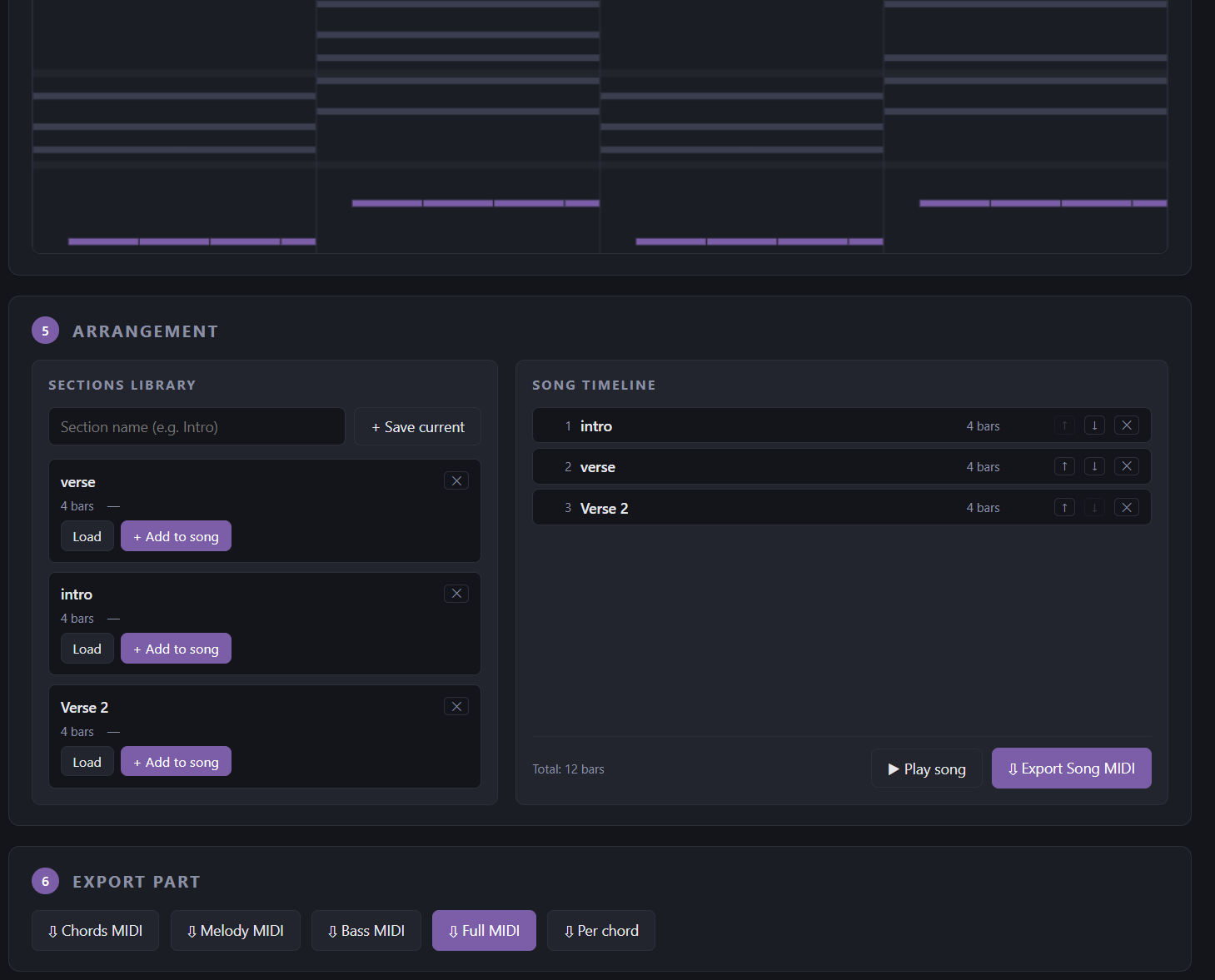
The Per Chord export is particularly powerful for Ableton Session View users — each chord becomes its own clip, ready to trigger live or rearrange freely in a cell-based layout.
The exported MIDI is yours. No royalties. No attribution. Personal or commercial use — no strings attached.
A Practical Workflow Example
Say you want to build a slow, cinematic ambient piece. Here's how a session might go:
- Open
Ether_Harmony.htmlin Chrome. Tiles appear immediately. - Click Space / Cosmic — BPM defaults to something slow and spacious, Lydian mode selected.
- Set 16 bars, 4 chords. Hit Regenerate three times. The third result has something ethereal happening on chord three. Keep it.
- Pick Drone + Melody as the melody style. Set density to Auto.
- Piano roll preview shows the full picture — pads in the back, a quiet drone bass, a floating melodic line.
- Save this as "Main Theme."
- Change genre to Drone Ambient, regenerate a simpler, more static progression, name it "Intro."
- Drag Intro → Main Theme → Main Theme → Intro into the Song Timeline.
- Export Full MIDI.
- Drop into Bitwig Studio. Load a pad instrument on the chord track, a lead synth on melody, a sine wave on bass.
Total time from blank browser to DAW-ready MIDI blueprint: under 15 minutes.
Who Ether Harmony Is Built For
You'll get the most from Ether Harmony if any of these describe you:
- You produce ambient, lo-fi, chillout, psybient, meditation, or atmospheric electronic music
- You regularly open your DAW and close it an hour later without finishing anything
- You feel stuck in the same chord patterns and want a push outside your comfort zone
- You want to understand modal harmony in practice, not just theory
- You create wellness content — yoga, sleep, breathwork — and need original MIDI you own
- You use Bitwig Studio or Ableton Session View and want ready-made clip-based chord material
Frequently Asked Questions
Does it work offline? Yes — fully offline after a one-time download. No internet connection is needed at any point during use.
Which DAWs are supported? Any DAW that opens MIDI files: Bitwig Studio, Ableton Live, FL Studio, Logic Pro, Cubase, Reaper, and more.
Do I need to know music theory? No. The genre presets handle scale, chord quality, and bass logic automatically. You can go deeper if you want, but everything has sensible defaults that work straight away.
Can I use the MIDI in commercial releases? Yes. Everything you export is yours — no royalties, no attribution, personal or commercial use.
How do I open it? Download the file, double-click Ether_Harmony.html, and it opens in your default browser. That's the entire installation process.
Does it save projects? This version doesn't save to disk automatically. Export your MIDI to capture the notes, or screenshot your progression for reference. Everything stays in the page until you close or reload the tab.
Get Ether Harmony
Ether Harmony is available now on the EtherLoops shop.
One payment. Lifetime access. Free updates when new versions are released.
→ Get Ether Harmony at shop.etherloops.com
Stop staring at the blank project. The starting point is already there — you just needed the right tool to surface it.
EtherLoops builds production tools for ambient, chill, and atmospheric music makers. Browse more at etherloops.com.