Oriental Psybient Track in Bitwig Using Only One Synth
Build a dark oriental psybient track in Bitwig Studio where every melodic part is a u-he Hive 2 preset – D Phrygian dominant, a Hijaz lead, an acid layer and a Trellis arrangement.
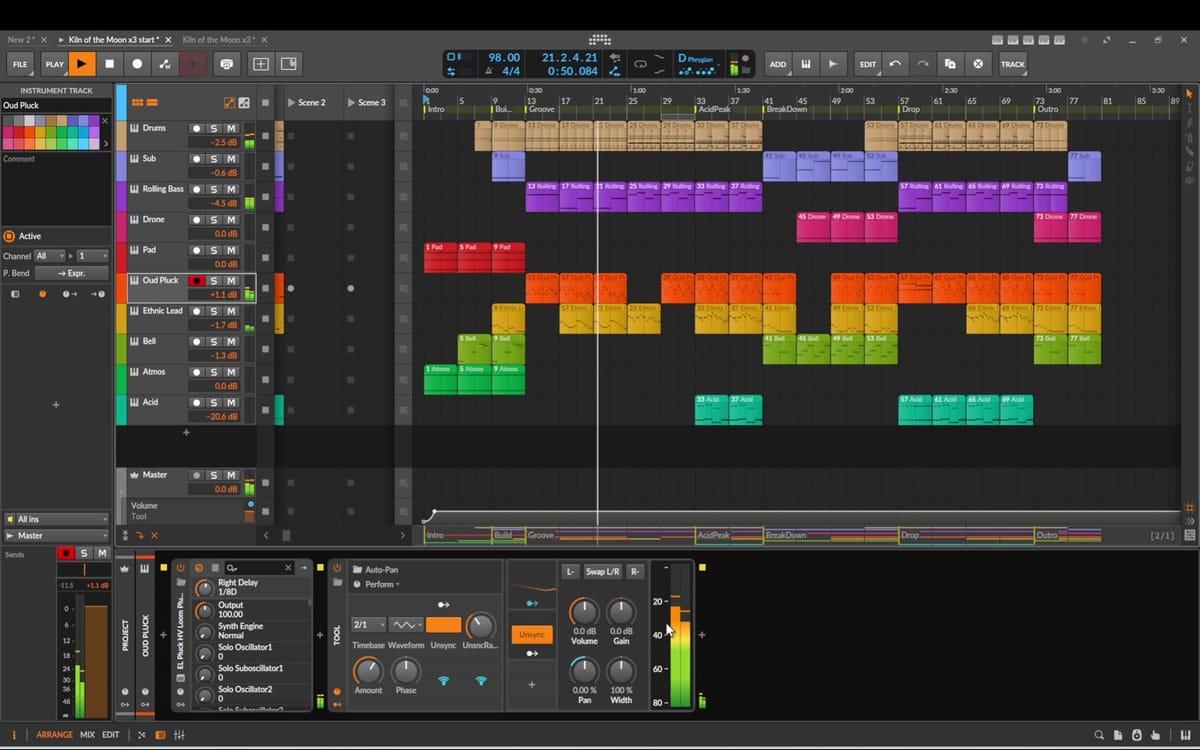
Can one synth carry a whole track? In this tutorial I build Kiln of the Moon, a dark oriental psybient track in Bitwig Studio, and every melodic part comes from a single instrument: u-he Hive 2. Sub, rolling bass, drone, pad, pluck, lead, bells, atmosphere and acid are all Hive presets. The drums come from Bitwig's own Drum Machine.
The oriental colour comes from one scale, D Phrygian dominant (also called Hijaz), and a lead melody that refuses to resolve. Below you'll find every step from the video with screenshots, the reasoning behind each choice, and the arrangement workflow I use to turn a set of clips into an 80-bar track.
Prefer to watch? The full video is on YouTube: Oriental Psybient Track in Bitwig Using Only One Synth. Chapters in the description let you jump to any step.
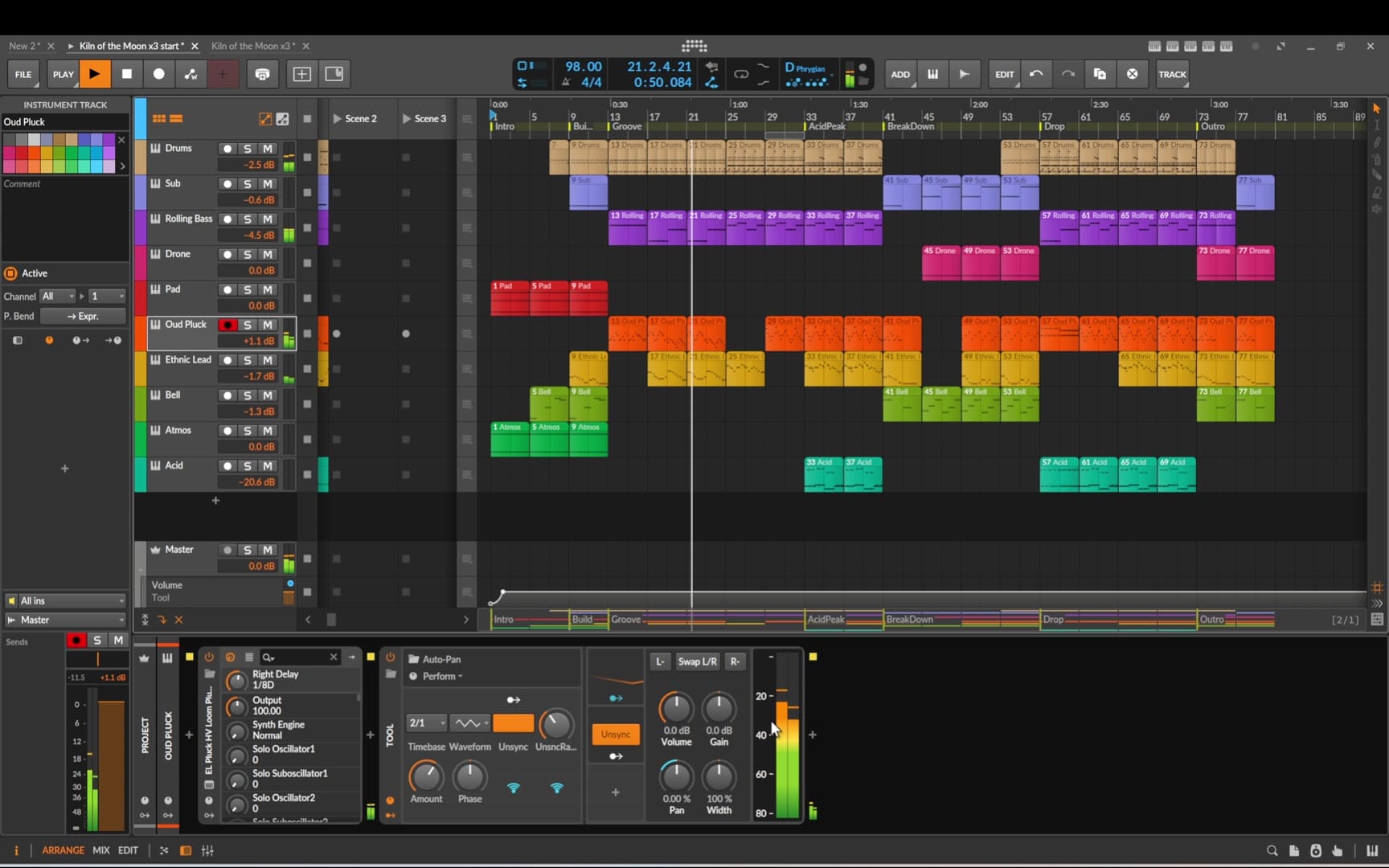
What you'll build
A complete psybient track at 98 BPM in D Phrygian dominant, 80 bars long, about 3 minutes 15 seconds. It's built from ten tracks:
- Drums – Drum Machine with my own kit, glued with Compressor+
- Sub – deep, sustained bass
- Rolling Bass – short, plucky bass that locks to the kick
- Drone – a self-evolving bed under the whole track
- Pad – evolving harmony in the background
- Oud-style Pluck – the rhythmic backbone of the song
- Ethnic Lead – the oriental melody
- Bell and Atmos – colour that appears only here and there
- Acid – the psychedelic engine of the peaks
Before you start
You need Bitwig Studio and u-he Hive 2. The presets in the video come from my two Hive banks, EtherLoops Organic HV and EtherLoops Lowlight HV. They are an optional shortcut: any similar sound works, and the techniques are the same with any synth.
The MIDI clips were prepared in advance, so the video can focus on the sound and the reasons behind each part rather than on drawing notes.
Step 1 – Drums and Compressor+
The drums run on Bitwig's Drum Machine, loaded with my own synthesized kit. For this track the brief was simple: a deep, tight kick and sharp, high-sounding hats, so the low end stays clean for the bass layers that follow.
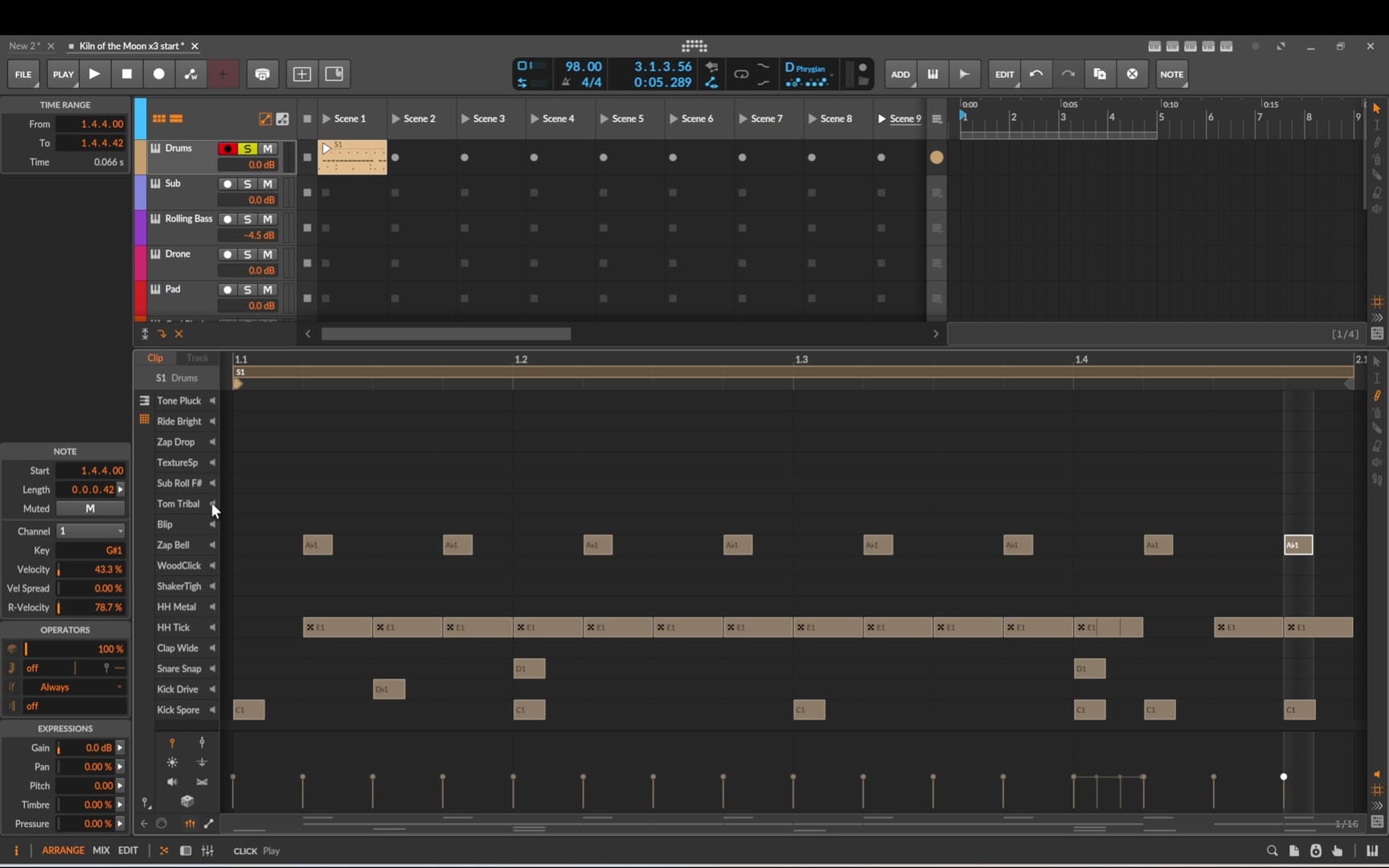
The pattern itself is deliberately simple. Psybient lives on a steady pulse, and the interest comes from the melodic layers and the arrangement, not from a busy beat.
On the drum group sits Compressor+, there to tighten everything up. In the video I work through the four controls that matter most – Attack, Release, Threshold and Ratio – listening for the point where the kit sounds glued together while the kick transient still punches through. A slower attack lets the transient pass before the compressor grabs; the release decides how quickly the kit breathes back between hits.
Step 2 – Sub bass in D Phrygian dominant
Now the first Hive preset, and from here on every melodic track uses Hive. The sub bass is a deep, sustained sound whose only job is to hold the floor of the track.
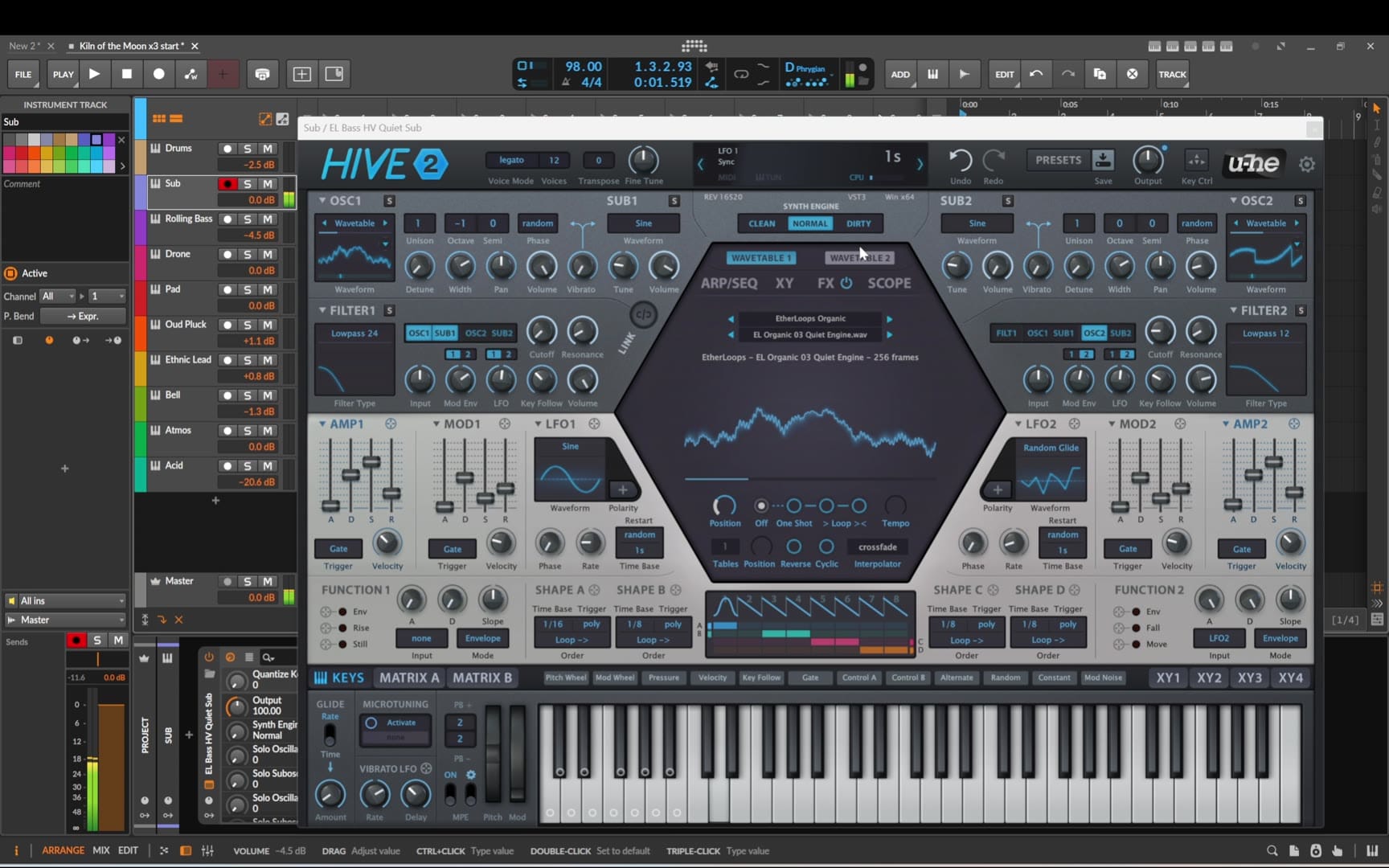
This is also the moment to choose the scale. I wanted the whole track to have an oriental feel, so everything is written in D Phrygian dominant: D – E♭ – F♯ – G – A – B♭ – C. It's the fifth mode of G harmonic minor, and in Middle Eastern music the same scale is known as Hijaz.
Two notes give it its character. E♭ sits only a half step above the root, dark and tense, always wanting to fall back to D. F♯ makes the home chord major. Between them is a step and a half – the augmented second – and that gap is what the ear hears as oriental.
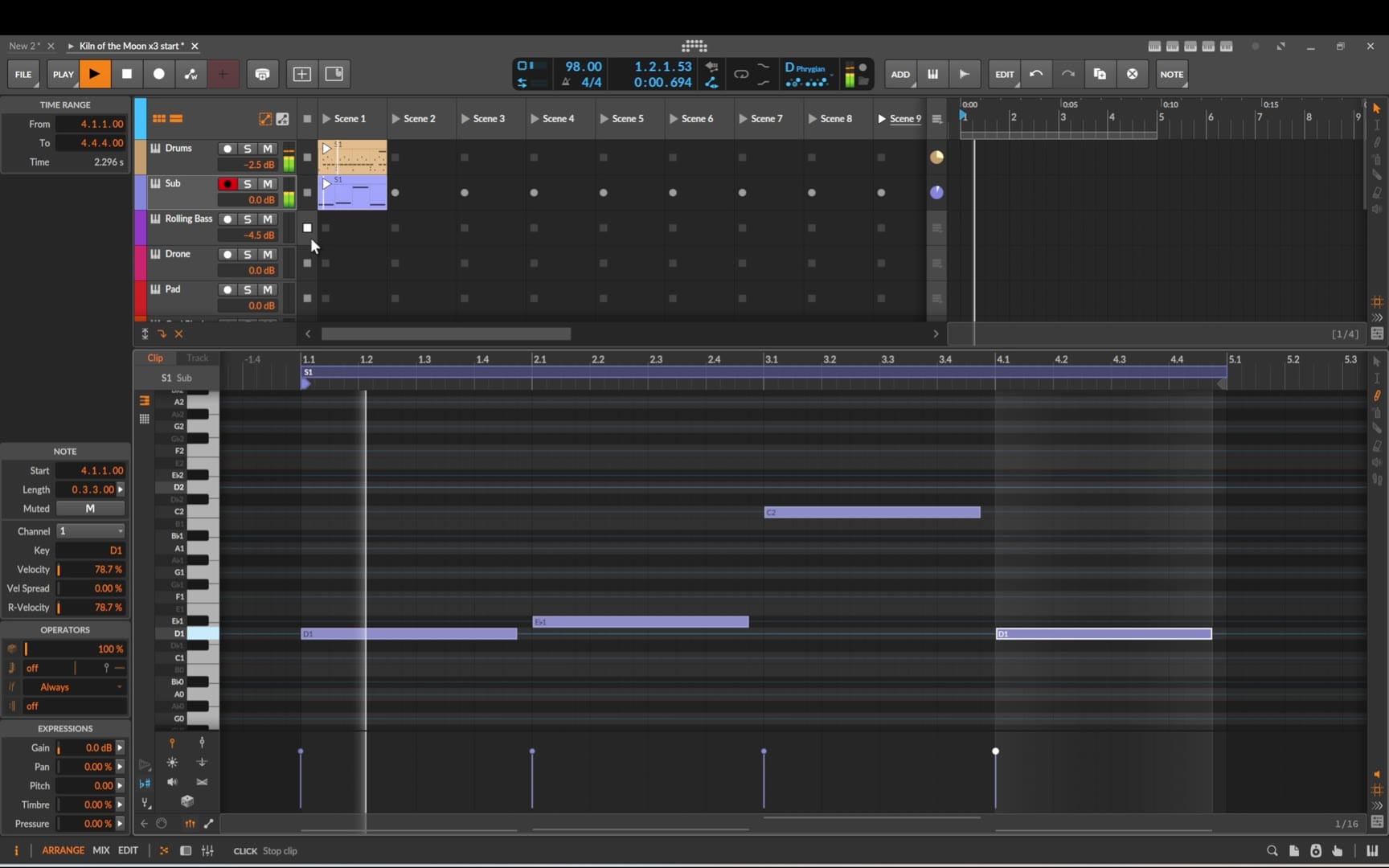
The bass progression is a handful of long notes on the chord roots. Long notes are enough here: the rhythm will come from the next track.
Step 3 – Rolling bass
The next track, Rolling Bass, gets a short, plucky Hive bass preset. Its pattern is written to work together with the drum beat: the bass fills the gaps between the kicks instead of hitting on top of them. That's the classic psy trick for a driving low end that never gets muddy – kick and bass take turns rather than fighting for the same moment.
Step 4 – Drone
For the drone I load a preset with a deep, self-evolving sound. Because the patch moves on its own, playing just one or two notes is enough to create a typical drone atmosphere. A drone pinned to D is also what makes the oriental scale work: the melody can wander, but the drone keeps reminding the ear where home is.
One small edit: I shorten the amplitude attack a little, so the sound ramps up faster when the drone enters a section.
Step 5 – Pad
In my usual ambient productions the pad is the main layer. Not this time. This track is more dynamic and rhythmic, so the pad stays in the background: an evolving Hive preset that fills the space between the bass and the melodic parts without competing with them.
Step 6 – The pluck: the backbone of the song
The pluck is a different story. It drives the rhythm and is one of the main pillars that sets the backbone and the mood of the whole song – the role an oud or saz would play in traditional music.
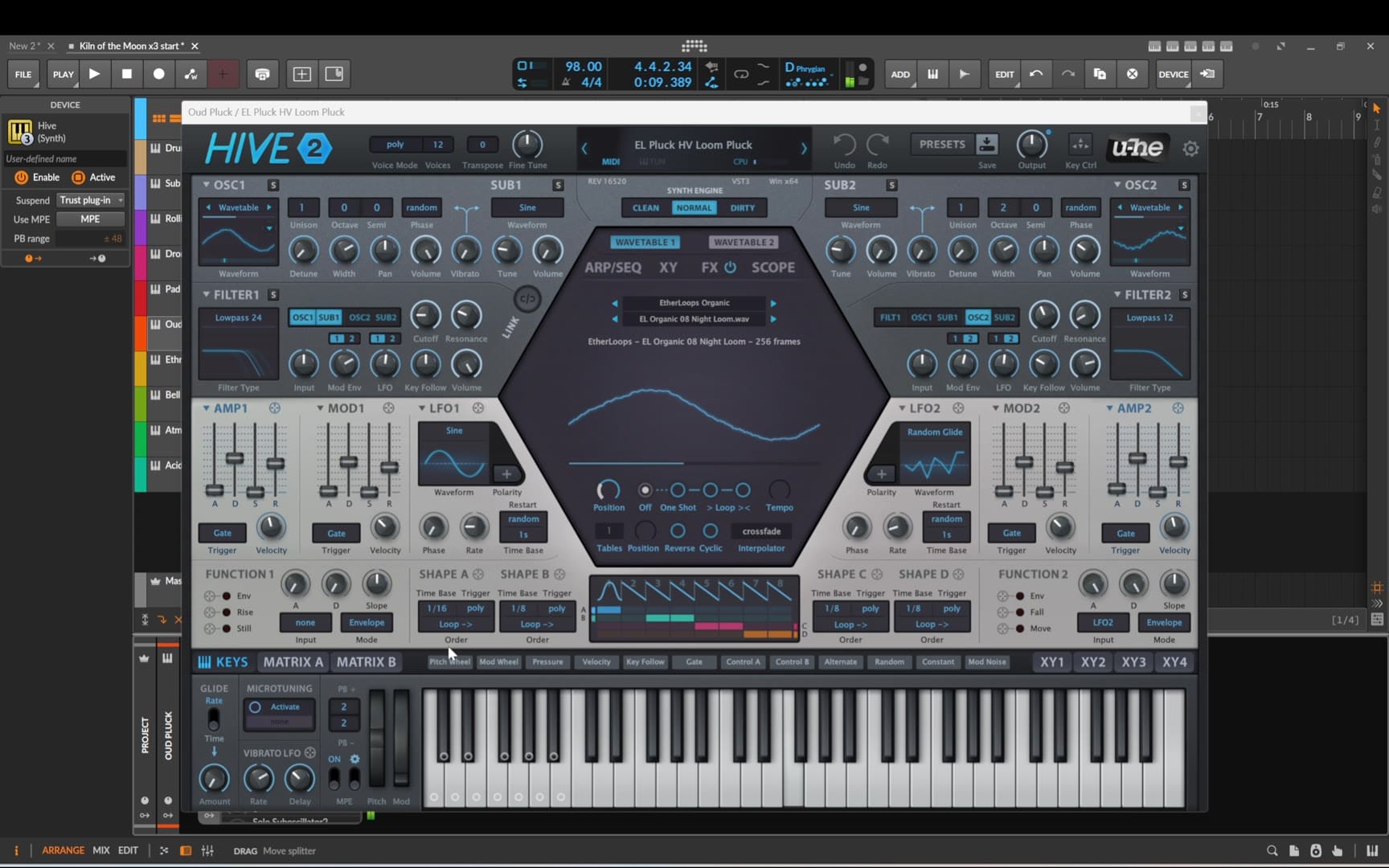
The MIDI is written as a kind of arpeggio. If you listen closely you'll notice a few off notes. They are deliberate: in this song they add a bit of tension, the same way a live player leans on a note that doesn't quite sit in the chord.
Step 7 – The oriental lead
The lead is where the scale really shows. It stays strictly in D Hijaz and uses its signature move, the jump between E♭ and F♯, which gives it that oriental feel.
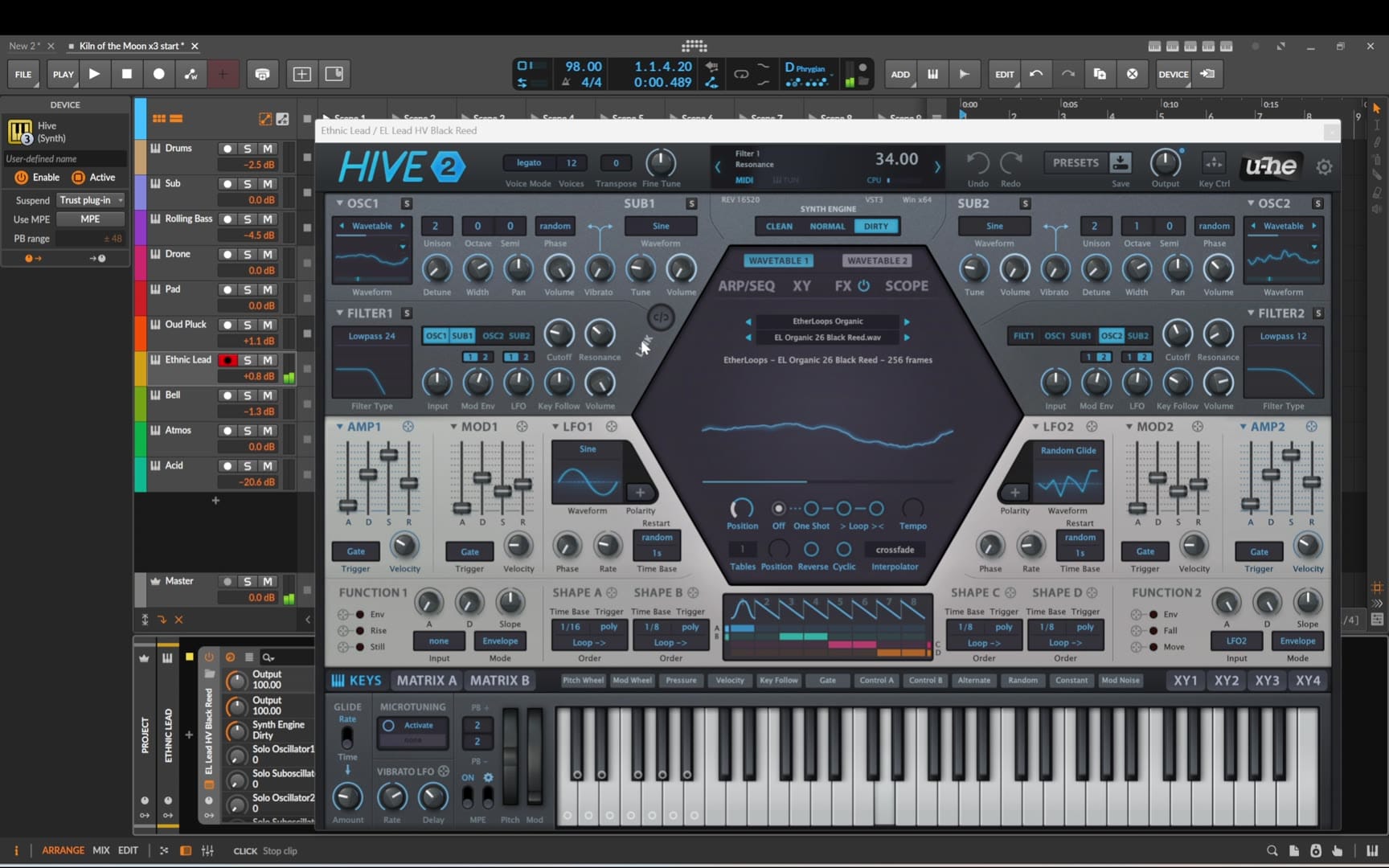
A few principles shape the melody:
- Small steps, like a voice. The line moves mostly stepwise and circles around notes before landing, rather than jumping like a typical synth lead.
- It falls toward D, the home note, phrase after phrase.
- But most phrases stop one half step short, on E♭. Because E♭ sits just above the home note, the phrase is left hanging unresolved. That keeps the melody tense and mysterious instead of letting it settle.
That last point is the whole trick. A melody that always lands on the root sounds finished; one that hangs on the ♭2 keeps you waiting, and waiting is what this music is about.
Step 8 – Bell and Atmos
Next, presets for the Bell and Atmos layers. They only appear here and there in the final arrangement – a metallic accent at the start of a section, a wash under a breakdown. Layers like these work best when they're rare: if they play all the time, the ear stops noticing them.
Step 9 – The acid layer
The acid layer is the psychedelic engine of the track. It plays a hypnotic, one-note sixteenth-note line with octave jumps.
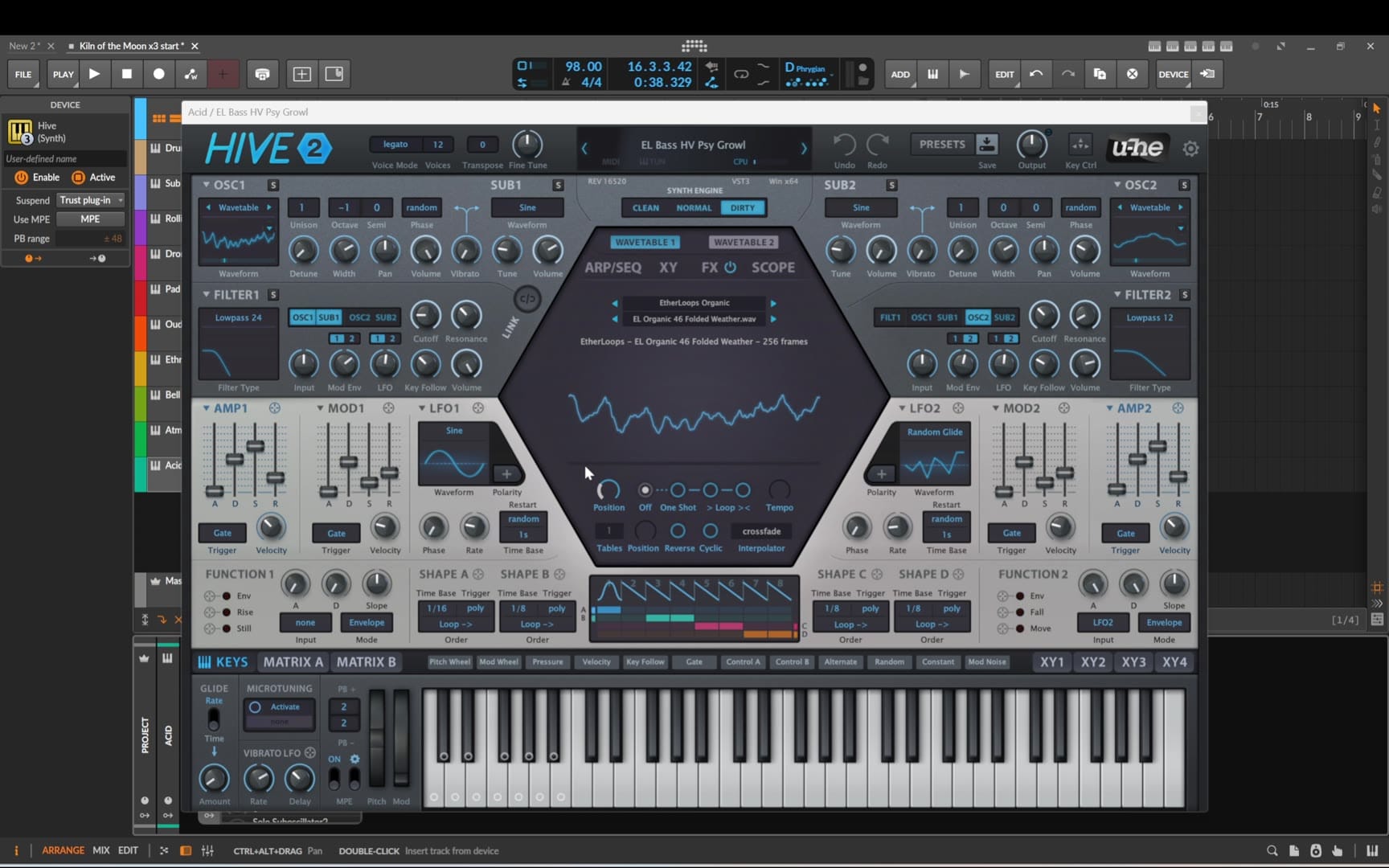
Its squelchy, synthetic sound sits against the organic pluck and acts as the bridge between the oriental world and psybient. That contrast is what makes this a psybient track rather than just ethnic ambient: without the acid, it would be a beautiful oriental groove; with it, it becomes psychedelic.
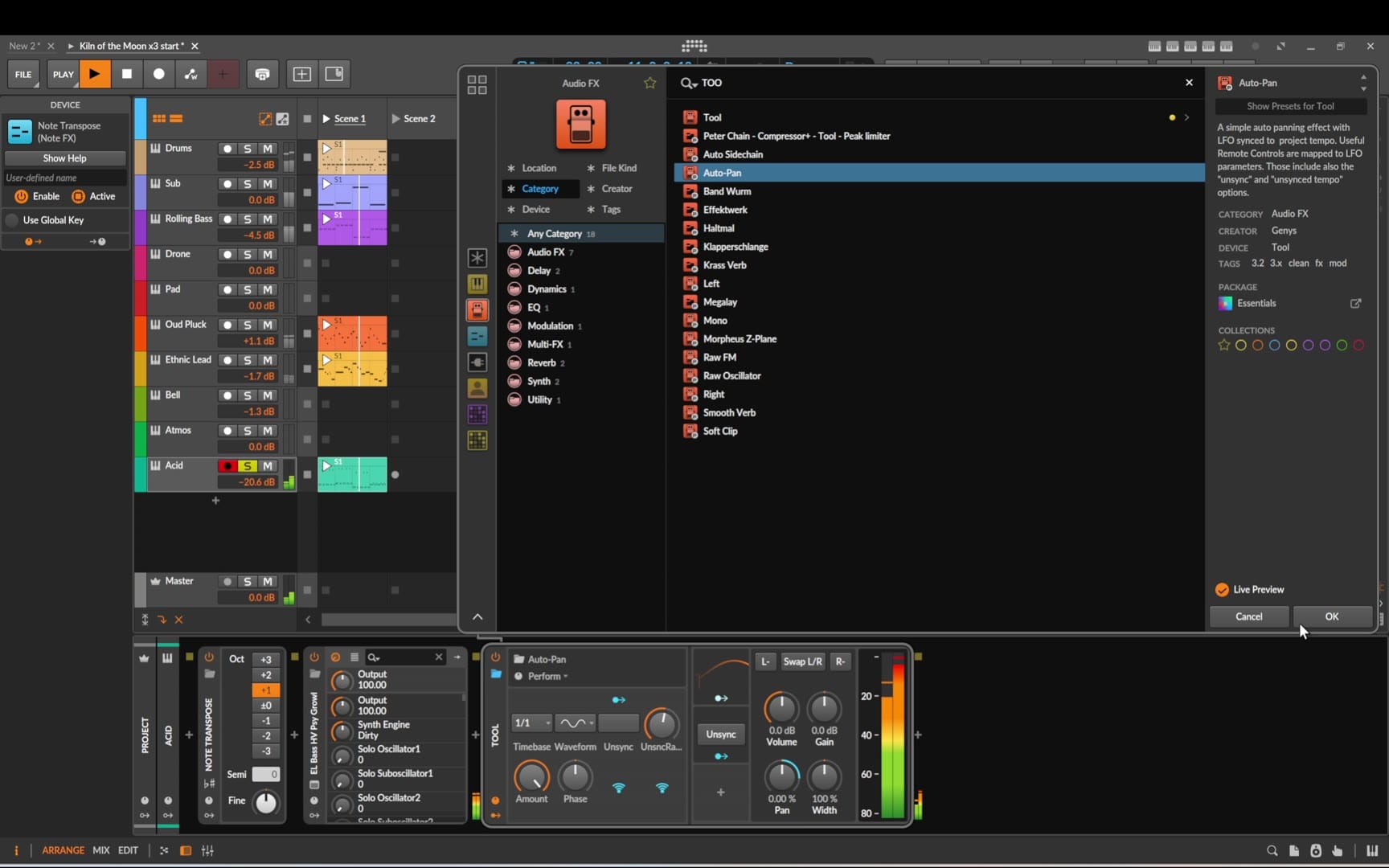
Two devices finish the acid track. Before Hive, the Note Transpose MIDI effect moves the line one octave up. After Hive in the device chain, an auto-pan preset keeps the sound moving across the stereo field, so a one-note line never feels static.
Step 10 – The song skeleton in Trellis
With all the tracks and clips ready, it's time for the arrangement. Instead of staring at an empty arranger, I build the song skeleton in my app Trellis.
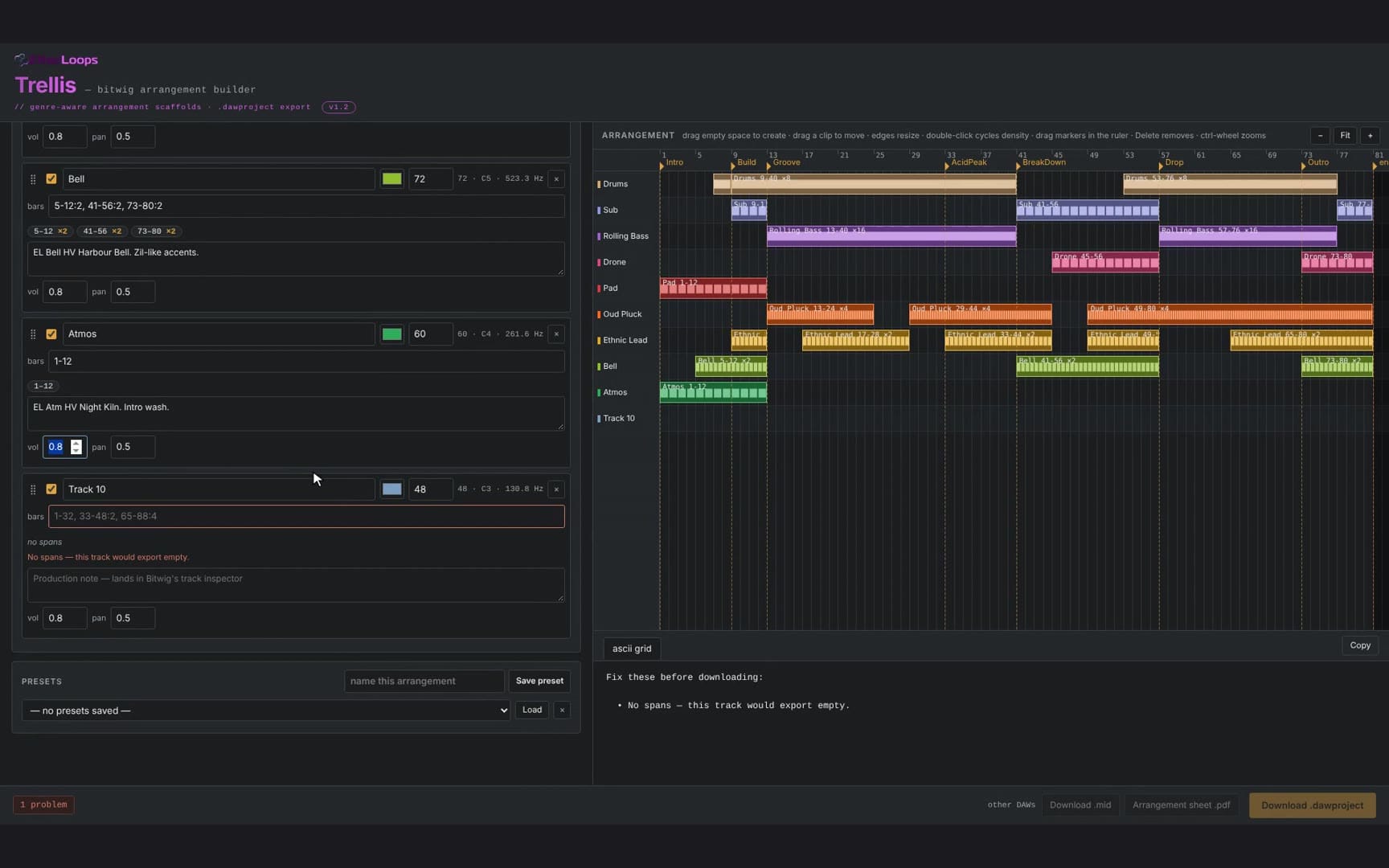
I choose the genre, set 80 bars at 98 BPM, and Trellis lays out the sections from Intro to Outro – for this track: Intro, Build, Groove, AcidPeak, BreakDown, Drop and Outro. Then I rename the tracks to match my project and set where each one comes in and drops out. The arrangement view shows the whole song on one screen, so you can see at a glance where the energy rises and falls.
Trellis exports the result as a Bitwig project, and also as a MIDI file for any other DAW, plus a printable arrangement sheet. I use it as a guide for placing the prepared clips and their variations. If you want the background on how Trellis builds genre structures, read the Trellis walkthrough.
Step 11 – Arranging section by section
I start with the intro and build out the rest of the song section by section. For each part I follow the layout from Trellis, so I always know which tracks should be playing and which should stay silent.
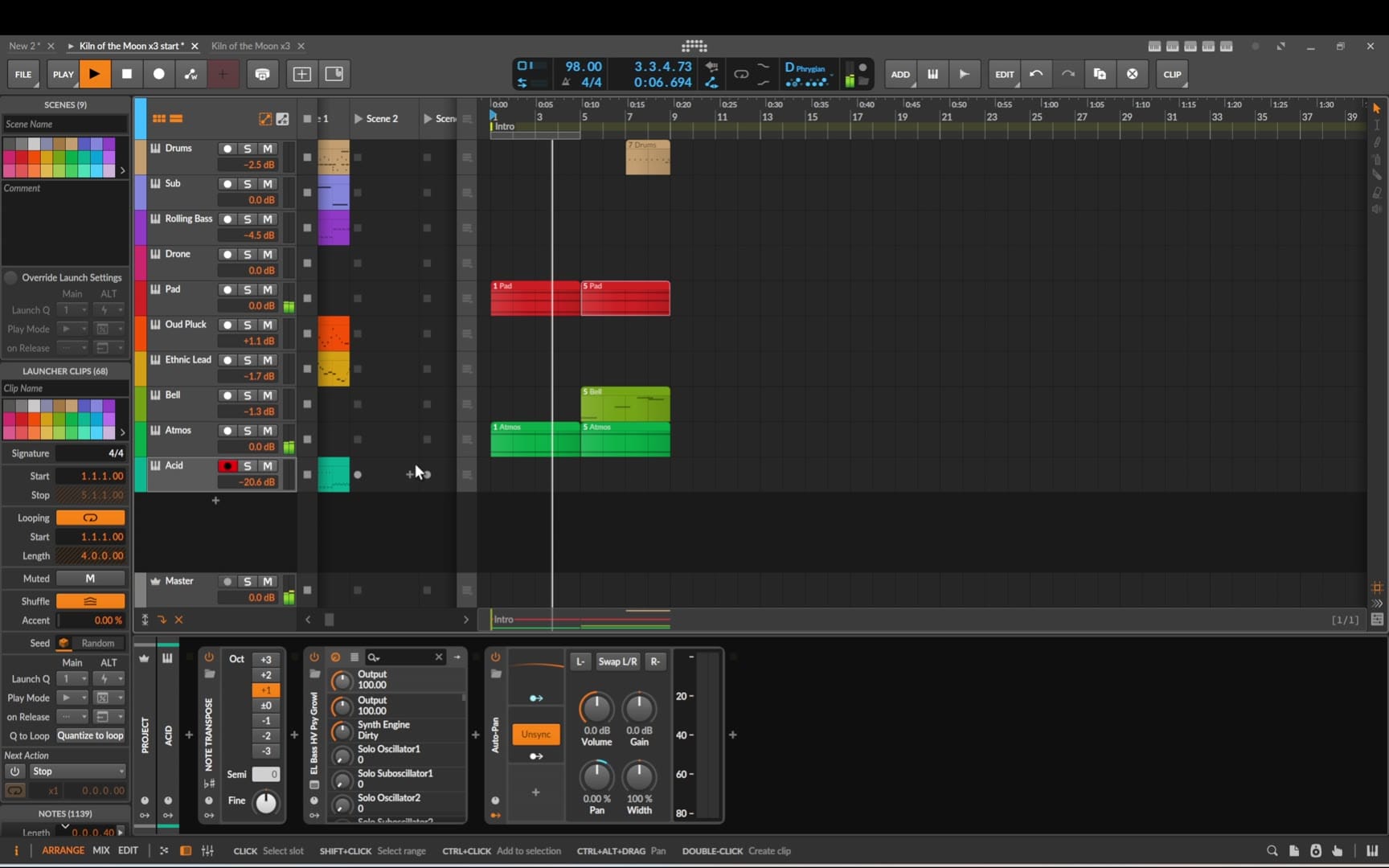
Rather than repeating the same clips throughout, I use variations of my original MIDI clips on each track. Small changes in notes, rhythm or length keep the arrangement moving and stop it from sounding like the same loop over and over.
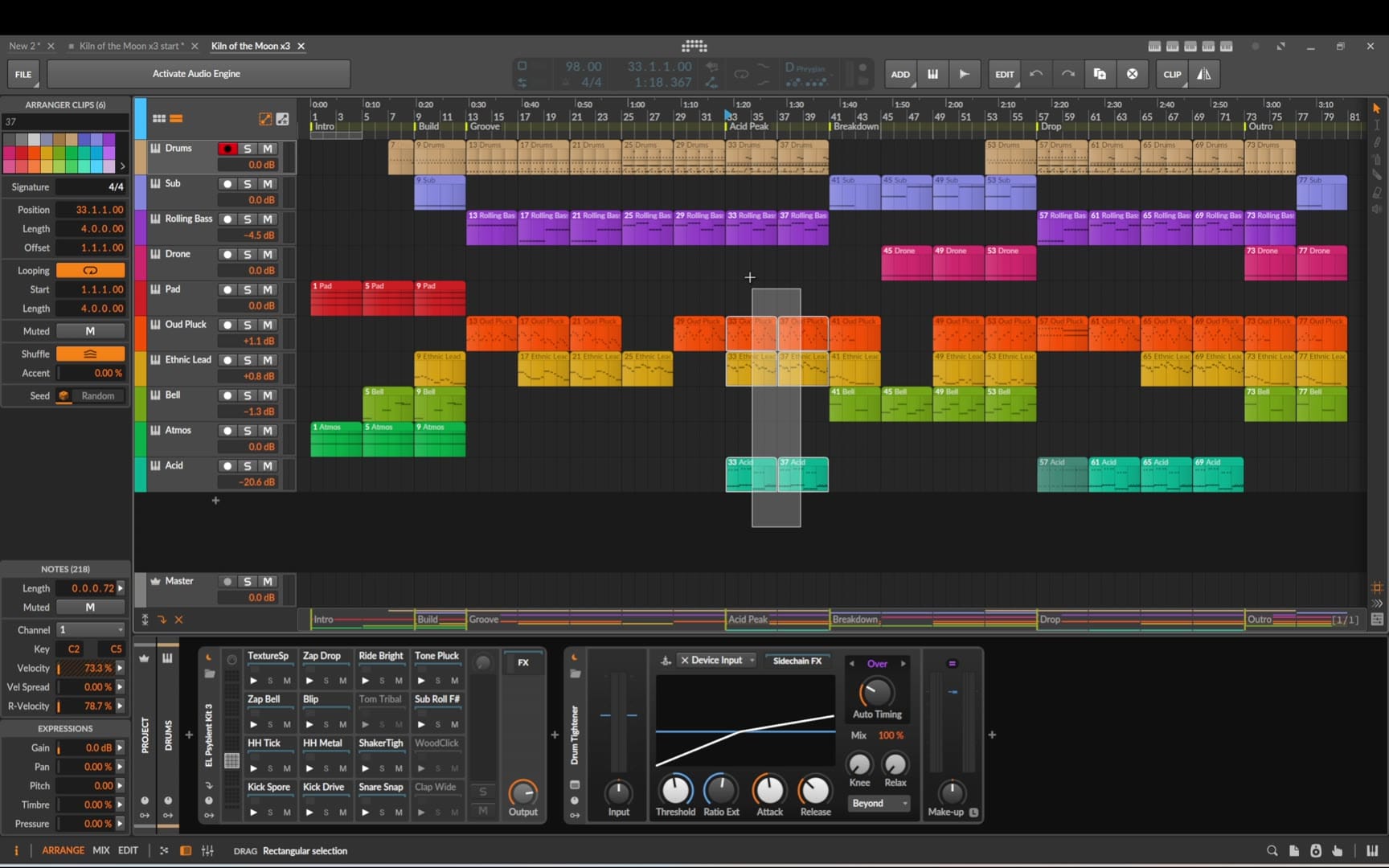
A few rules of thumb that worked for this track:
- Let the acid be an event. It appears in the peaks only, so its entrance tells the listener the energy has gone up.
- Take the drums out for the breakdown and let the drone, pad and bells carry the space.
- Bring layers in at phrase starts – every 4 or 8 bars – so changes feel intentional.
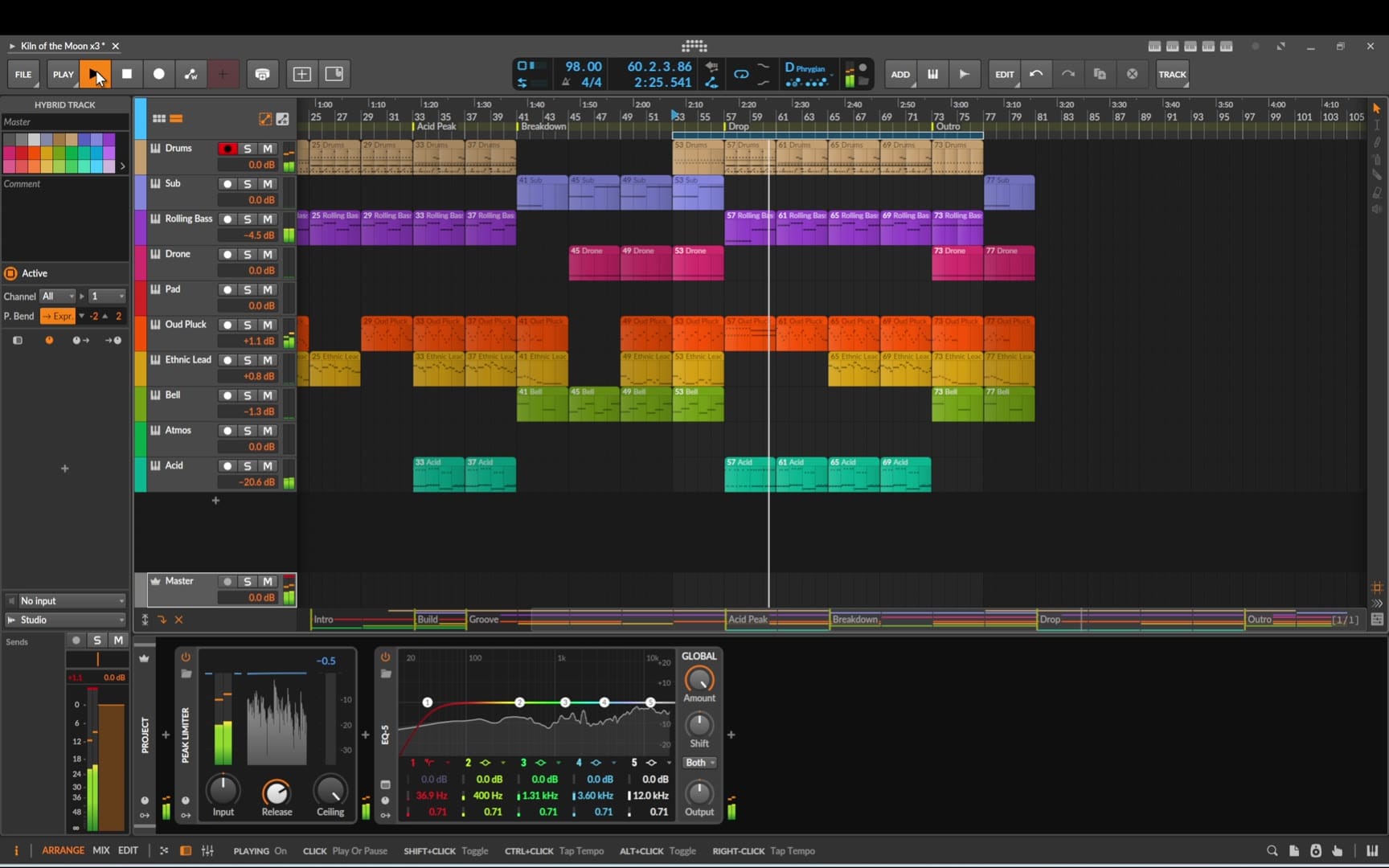
Step 12 – Master, movement and final tweaks
On the master track I load the Tool device and draw a simple automation, so the volume ramps up gradually at the start of the track. It's a small detail, but a fade-in sounds far more natural than a track that starts at full level.
The pluck layer also gets an auto-pan, like the acid, to give it more movement in the stereo space. Then I listen through the sections and make a few small tweaks here and there – small level and placement changes until each section sounds right.
FAQ
Do I need Hive to follow this tutorial?
No. Hive is what I used, but every part has a clear role – sub, rolling bass, drone, pad, pluck, lead, bell, atmos, acid – and any synth that covers those roles will do. Bitwig's own instruments work too; see my psybient loop with built-in instruments.
What is the difference between Phrygian dominant and Hijaz?
In Western terms they're the same set of notes: D – E♭ – F♯ – G – A – B♭ – C. Hijaz is the name from Arabic and Turkish music theory, where the scale is built from smaller melodic cells and can use quarter-tone inflections. In a DAW with standard tuning, Phrygian dominant is the practical equivalent.
Why does the melody end on E♭ instead of D?
E♭ is the half step above the root, so a phrase that stops there sounds unresolved. That tension is what keeps the lead mysterious. Resolve to D only when you want the listener to feel they've arrived.
Can I use Trellis with another DAW?
Yes. Besides the Bitwig project, Trellis exports a standard MIDI file with the sections as markers, plus a PDF arrangement sheet.
Key takeaways
- One scale is enough for an oriental sound: D Phrygian dominant and its E♭–F♯ jump do most of the work.
- A drone on the root lets the melody wander without losing home.
- A lead that hangs on E♭ keeps the tension alive.
- The acid layer turns an ethnic groove into psybient – use it as an event, not wallpaper.
- Plan the song skeleton first, then fill it with clip variations so nothing sounds like one loop.
Sounds and tools used
All melodic sounds are Hive 2 presets from two EtherLoops banks – optional, any similar sound works:
- EtherLoops Organic HV – 40 presets for Hive 2 (drone, pad, lead, atmos and acid in this track)
- EtherLoops Lowlight HV – 40 presets for Hive 2 (sub, rolling bass, pluck and bell)
- Trellis – the song-skeleton builder used for the arrangement
Want another build? Try the psybient loop with Bitwig's built-in instruments, the full ambient track with stock devices, or browse all EtherLoops tutorials.
Track: Kiln of the Moon · 98 BPM · D Phrygian dominant (Hijaz) · 80 bars.